Layouts for officer’s PowerPoint documents.
Zygmunt Zawadzki
2026-01-17
Source:vignettes/layouts-for-officer-power-point-document.Rmd
layouts-for-officer-power-point-document.RmdIntroduction
This document shows how to work with PowerPoint files in R using customLayout approach.
Let’s start by creating a layout. lay and
lay2 will be used to store the content of the slide (plots,
tables, text), and titleLay will serve as a container for
the title of the slide.
It seems that merging the title placeholder in the last step allows
to the easy control its ratio to the content of the slide. Note that
titleLay is merged with lay3 (combination of
lay and lay2) using a ratio 1:7, so the
content of the slide will occupy about 87,5% of the area
(7/(1+7)).
library(customLayout)
library(officer)
library(magrittr)
library(ggplot2)

lay  <- lay_new(matrix(1:4,nc=2),widths=c(3,2),heights=c(2,1))
lay2 <- lay_new(matrix(1:3))
titleLay <- lay_new(1, widths = 1, heights = 1)

lay3   <- lay_bind_col(lay,lay2, widths=c(3,1))
layout <- lay_bind_row(titleLay, lay3, heights = c(1,7))

lay_show(layout)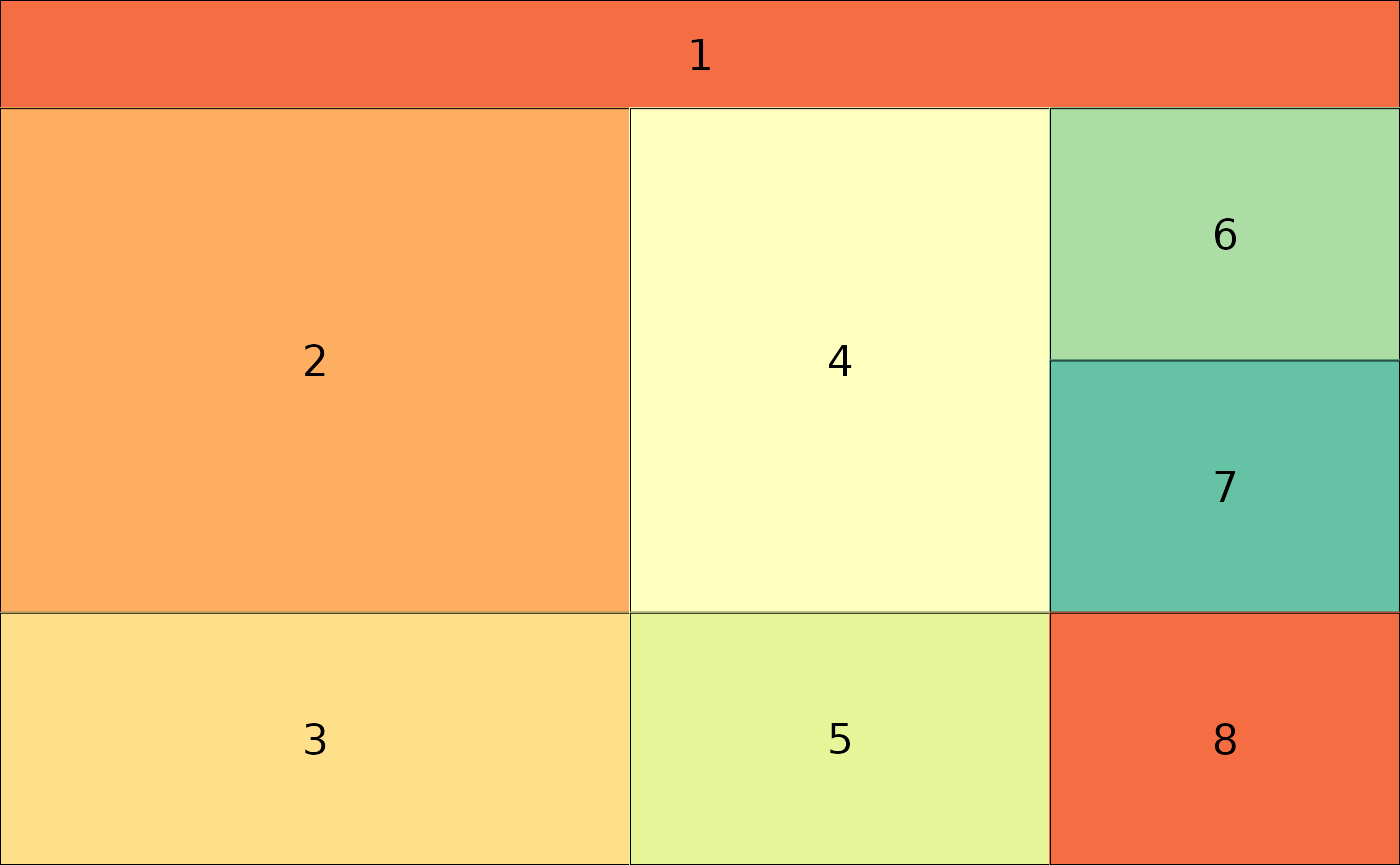
In the next step, one needs to create an officer layout from an
existing layout object. It is done by calling
phl_layout, which allows specifying the target size of the
slide and margins.
## create officer layout
offLayout <- phl_layout(layout,
    margins = c(0.25, 0.25, 0.25, 0.25),
    innerMargins = rep(0.15,4))
ggplot2
Then, the elements of the slide are added using functions with
phl_* prefix. The code below adds two ggplot plots into the
slide using phl_with_gg.
pptx <- read_pptx() %>%
  add_slide(master = "Office Theme", layout = "Title and Content")

### fill first placeholder

plot1 <- qplot(mpg, wt, data = mtcars)
#> Warning: `qplot()` was deprecated in ggplot2 3.4.0.
#> This warning is displayed once per session.
#> Call `lifecycle::last_lifecycle_warnings()` to see where this warning was
#> generated.
plot3 <- qplot(mpg, qsec, data = mtcars)
pptx <- phl_with_gg(pptx, offLayout, 2, plot1)
pptx <- phl_with_gg(pptx, offLayout, 4, plot3)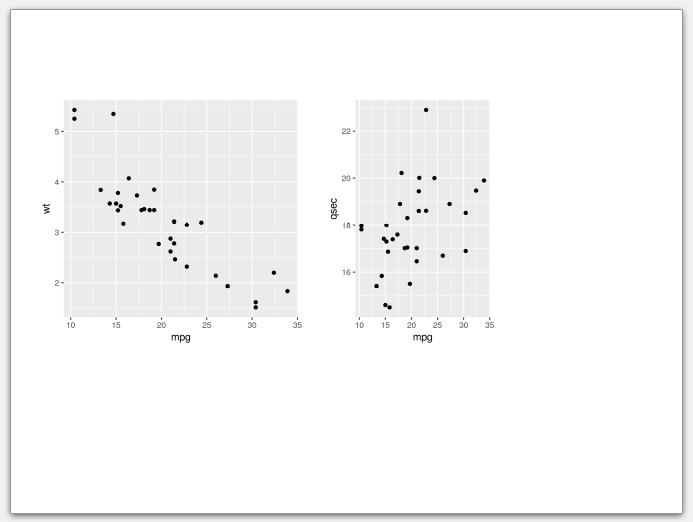
Base graphics
It is also worth to note that pptx files allow intermixing base
graphics with grid graphics (ggplot2 and friends). The example below
adds a few pie charts (note from the author - I’m not a fan of pie
charts. Please don’t use them on real slides). In this case
phl_with_plot requires a function which creates a plot.
pl5 <- function() {
  par(mar = rep(0.1, 4))
  pie(c(3, 4, 6), col = 2:4)
}
pl6 <- function() {
  par(mar = rep(0.1, 4))
  pie(c(3, 2, 7), col = 2:4 + 3)
}
pl7 <- function() {
  par(mar = rep(0.1, 4))
  pie(c(5, 4, 2), col = 2:4 + 6)
}

pptx <- phl_with_plot(pptx, offLayout, 6, pl5)
pptx <- phl_with_plot(pptx, offLayout, 7, pl6)
pptx <- phl_with_plot(pptx, offLayout, 8, pl7)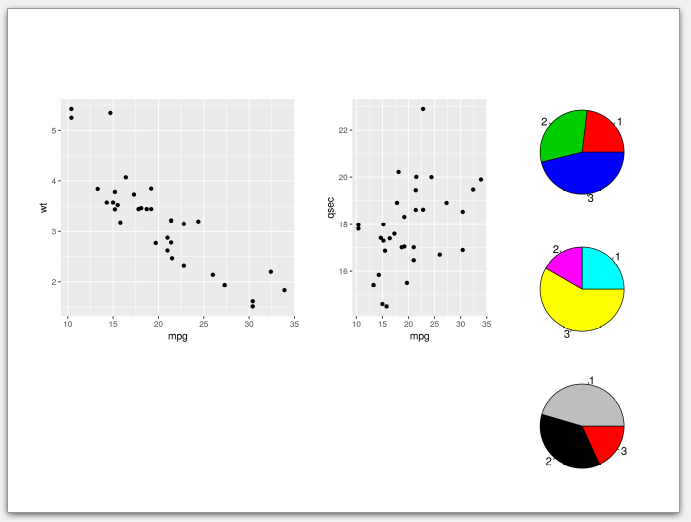
Basic tables
To export data.frame to the slide, one needs to use
phl_with_table.
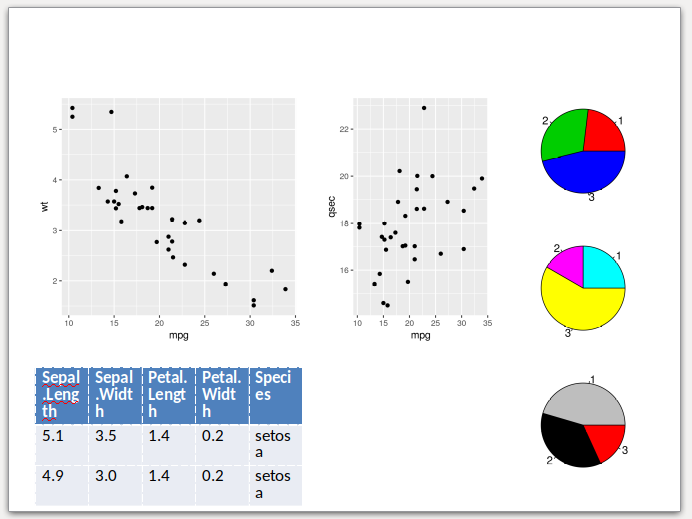
pptx <- phl_with_table(pptx, offLayout, 3, head(iris, 2))Note, that in the current version customLayout is not
able to fit the table perfectly to your slide. The desired width will be
matched at the expense of the table height and text-wrapping. See the
output slide created from the code above. As you can see, the table is a
bit too tall, and the texts in cells are inelegantly wrapped.
Text
Inserting the text works in a very similar fashion to the officer
package, just use the phl_with_text function. To add the
formatting to the text use the style argument as in the
example below (phl_with_text internally uses
officer::ph_add_text).
pptx <- phl_with_text(pptx, offLayout, 1, "Custom Layout")

style <- fp_text(font.size = 24, color = "red")
pptx  <- phl_with_text(pptx, offLayout, 5,
          "Lorem ipsum", type = "body", style = style)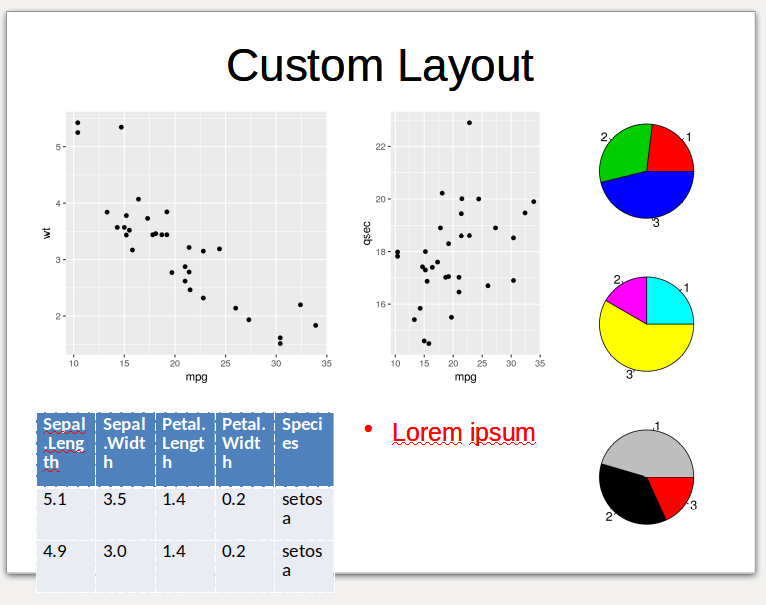
flextables
Getting started
To get more control over created tables, one can use the
flextable package (https://davidgohel.github.io/flextable/index.html),
which is also supported by the customLayout by the
phl_with_flextable function.
Let’s start with preparing the layout and sample data.frame for further examples:
library(customLayout)
library(flextable)
library(dplyr)
#>
#> Attaching package: 'dplyr'
#> The following objects are masked from 'package:stats':
#>
#>     filter, lag
#> The following objects are masked from 'package:base':
#>
#>     intersect, setdiff, setequal, union
library(officer)

lay  <- lay_new(matrix(1:4,nc=2),widths=c(3,2),heights=c(2,1))
lay2 <- lay_new(matrix(1:3))
layout   <- lay_bind_col(lay,lay2, widths=c(3,1))
lay_show(layout)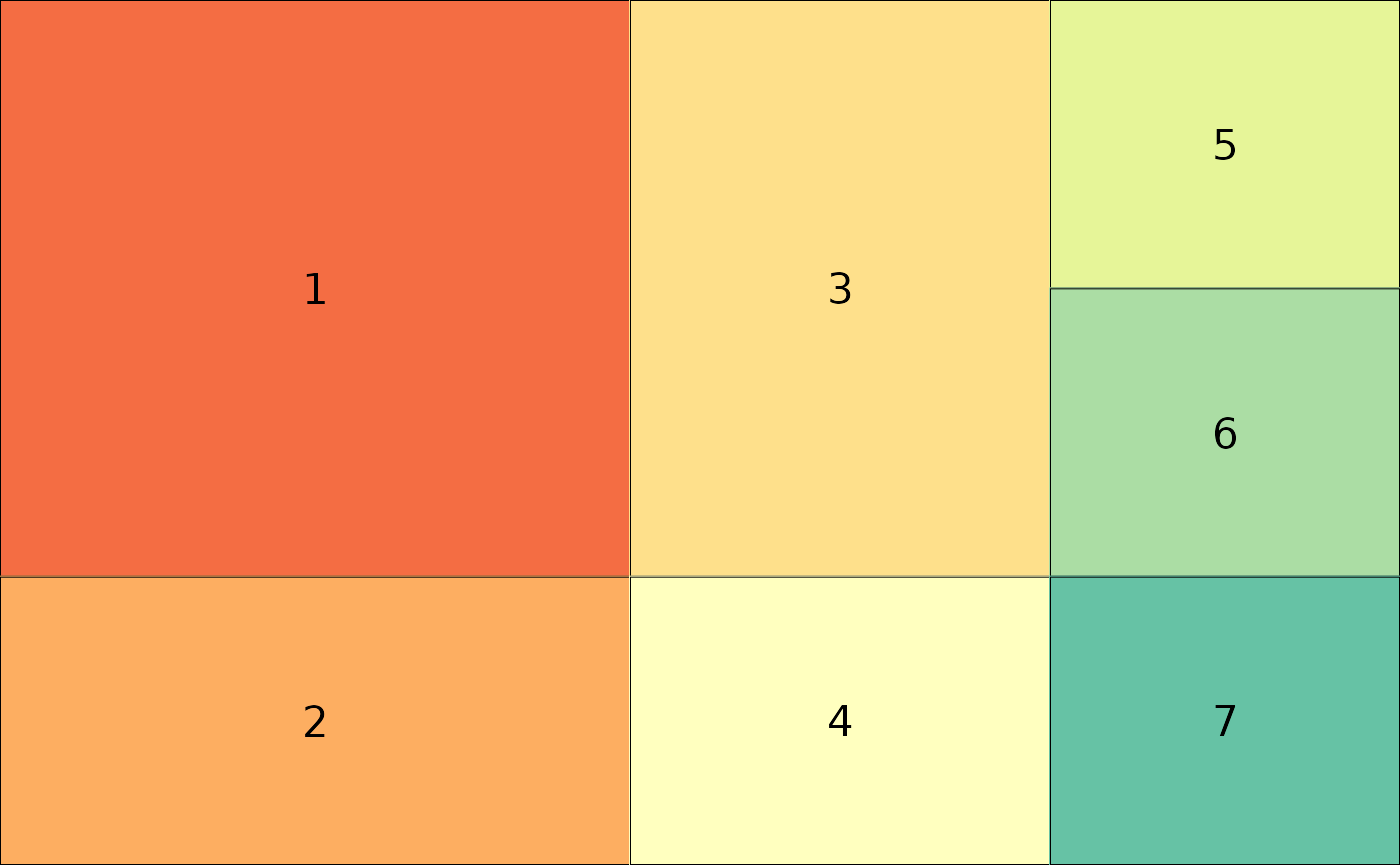
Simple flextable
To add the flextable to the slide, one needs to convert
the data. frame to the flextable object. Then the function
phl_with_flextable can be used:
pptx <- read_pptx() %>%
  add_slide(
    master = "Office Theme",
    layout = "Title and Content")

flTableRaw <- flextable(table)
pptx <- phl_with_flextable(pptx,
      olay = offLayout, 1, flTableRaw)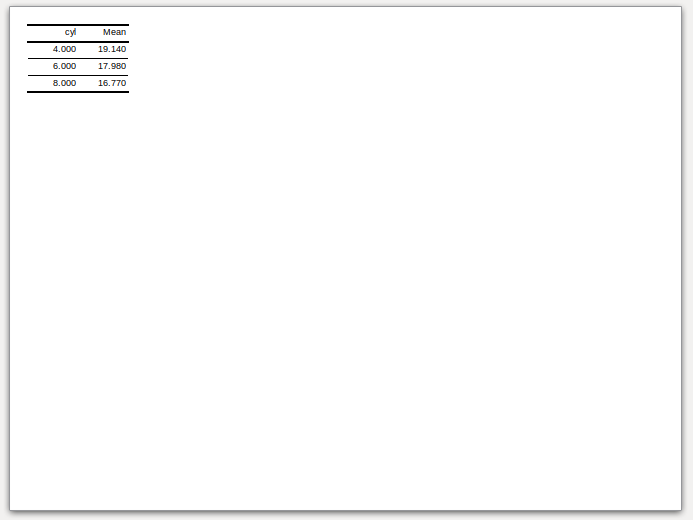
Fit the table to the placeholder
However, the phl_with_flextable does not modify any
parameters of the table and writes it to the pptx as is. It means that
the user needs to specify the correct font size, the widths, and heights
for columns and rows. It might be quite hard to do, but the
customLayout provides the phl_adjust_table
function which takes a data.frame as an argument and tries to find as
large font size, widths and heights as possible for given placeholder in
the layout. Note that this function uses some simple heuristics, and
might not always work as expected, and some manual tuning will be
required.
pptx <- read_pptx() %>%
  add_slide(
    master = "Office Theme",
    layout = "Title and Content")

flTable <- phl_adjust_table(table, olay = offLayout, id = 1)
pptx <- phl_with_flextable(pptx,
      olay = offLayout, 1, flTable)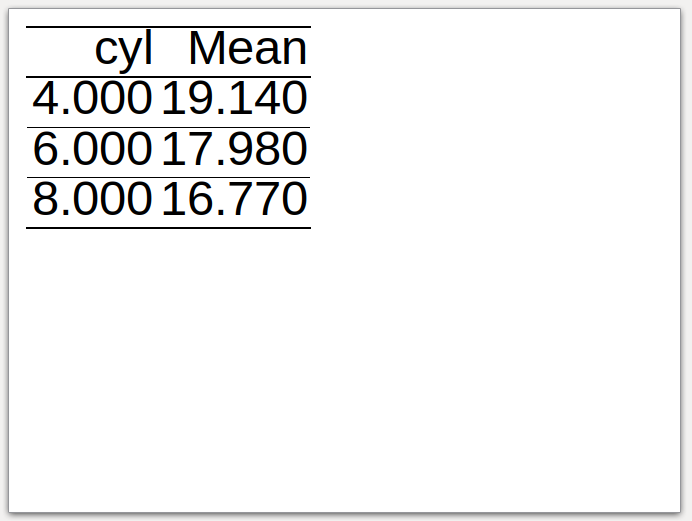
Formatted flextable
After calling the phl_adjust_table one can modify the
table in any way. Go to the https://davidgohel.github.io/flextable/articles/overview.html
for more examples.
pptx <- read_pptx() %>%
  add_slide(
    master = "Office Theme",
    layout = "Title and Content")

flTable <- phl_adjust_table(table, olay = offLayout, id = 1)

flTable <-  bg(flTable, bg = "#E4C994", part = "header")
flTable <-  bg(flTable, bg = "#333333", part = "body")
flTable <- color(flTable, color = "#E4C994")

pptx <- phl_with_flextable(pptx,
      olay = offLayout, 1, flTable)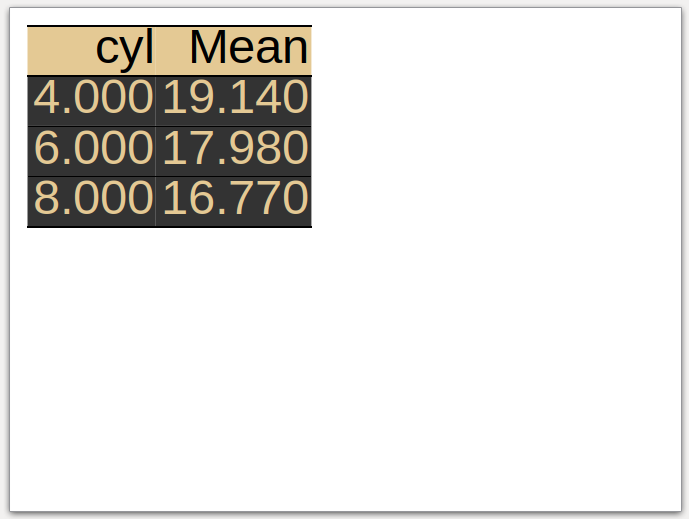
Fit the table to the placeholder - part II
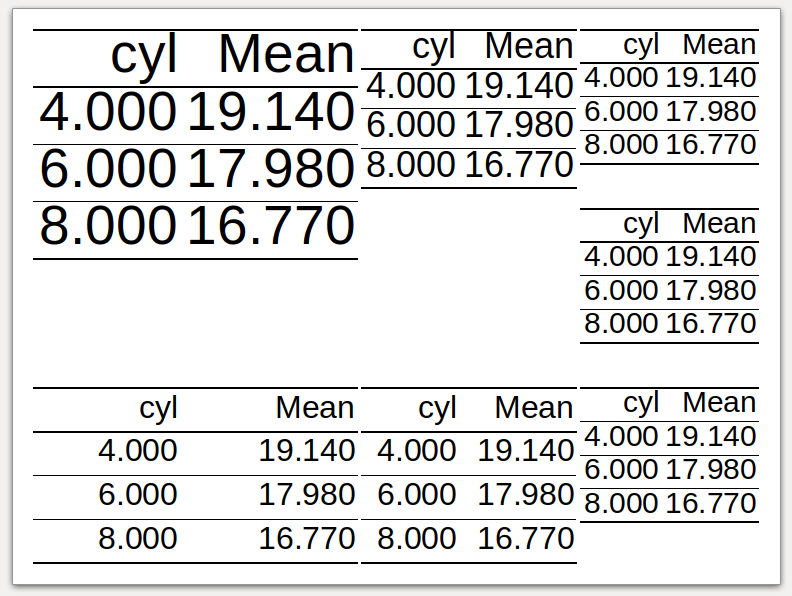
The example below shows the appearance of the table in each placeholder of the layout. It seems that it works reasonably well.
pptx <- read_pptx() %>%
  add_slide(
    master = "Office Theme",
    layout = "Title and Content")

lapply(seq_len(length(offLayout)), function(i) {
  tbl <- phl_adjust_table(table, offLayout, i)
  phl_with_flextable(pptx, olay = offLayout, i, tbl)
  invisible()
})